
Help center

How to use TalentLAB

Getting started, all 22 CV styles, prices, the LINE commands, your team and your data, on one page. If you're already in LINE, type your question to the bot, or type "help".

Getting started

  1. Add TalentLAB on LINE

    Tap the button, or scan the QR code on the home page.

    Add TalentLAB on LINE
  2. Try 20 CVs for FREE

    Sign in with your email, or tap "Continue with LINE" so your LINE account is linked as you sign up. A new workspace starts with 20 free CVs.

    Try 20 CVs for FREE
  3. Send your first CV in the chat

    Send a PDF or a JPG/PNG photo, up to 20 MB. The bot reads it, you pick a style, check the preview and approve.

How it works

From an Original CV to a Client-Ready CV in Minutes.

  1. Send it in the chat

    A PDF from email, a file from a job site, or a phone photo of a paper CV.

  2. AI reads every field

    Experience, education, skills and an executive summary, from Thai or English CVs.

  3. You approve each field

    Everything the AI reads stays a suggestion until a person approves it. Nothing is made up.

  4. Your branded CV, ready

    Every CV You Share Is an Opportunity to Build Your Agency’s Brand.

Video tutorials

Prefer to watch? One task per video, 1 to 2 minutes each, with English captions.

All videos in one playlist on YouTube

In the LINE chat, type "videos" to get the links.

CV styles

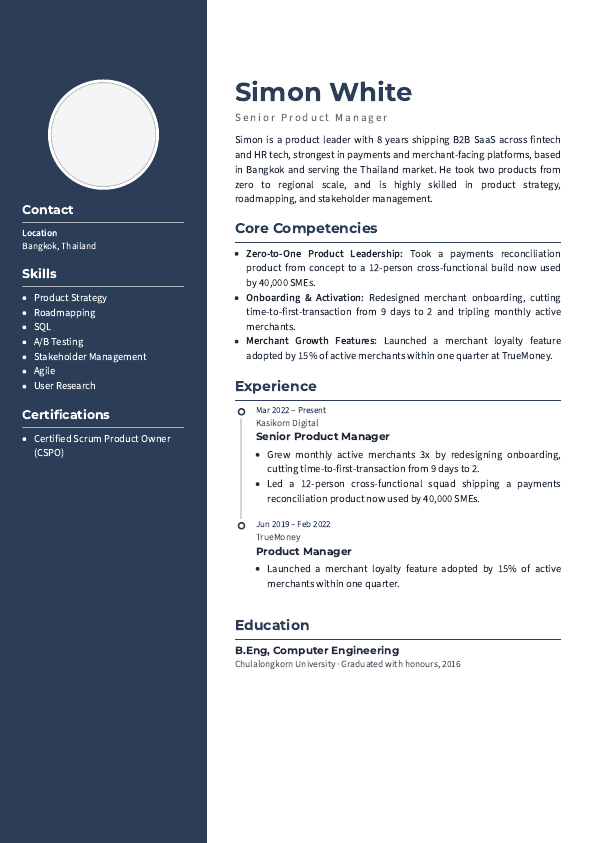
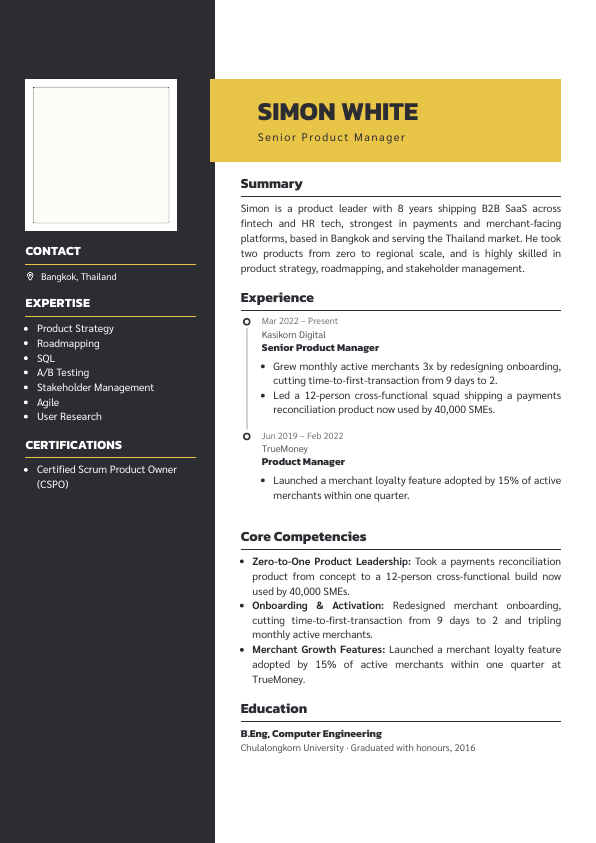
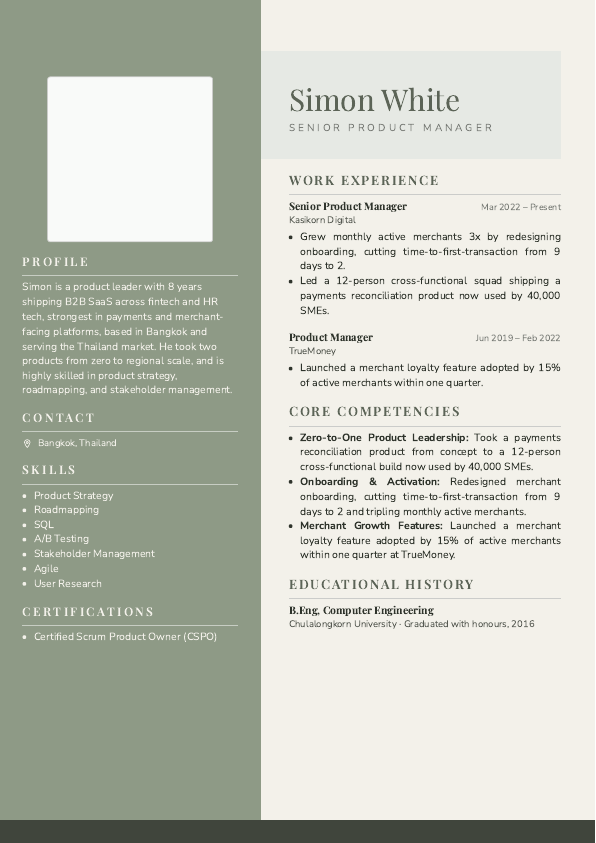
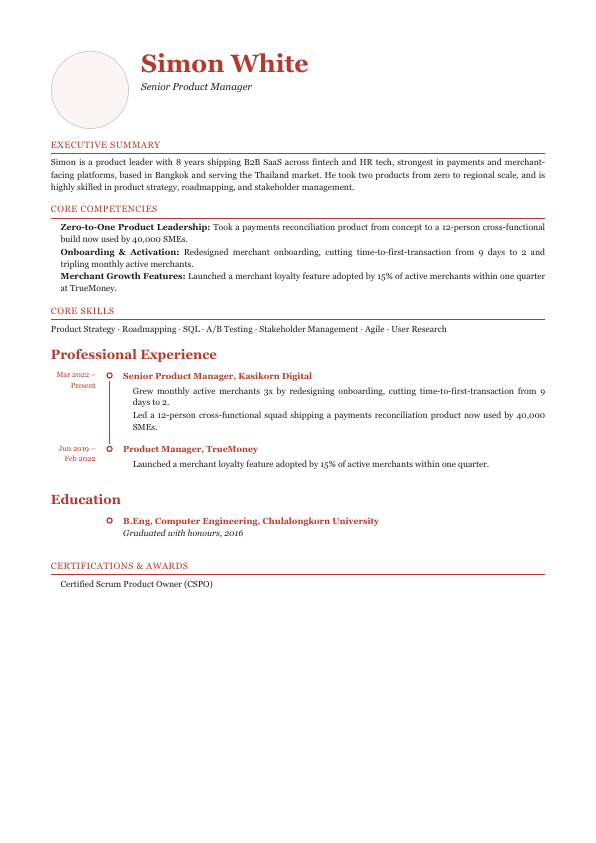
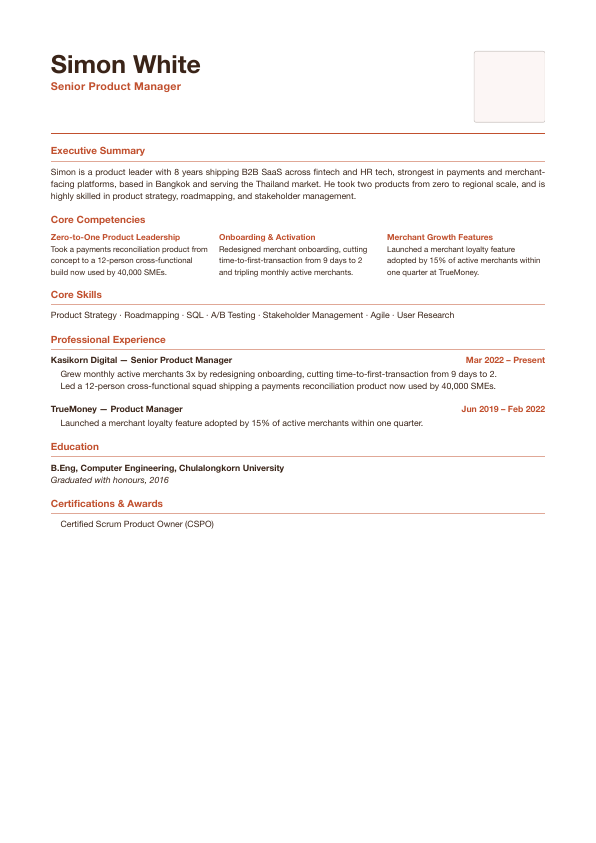
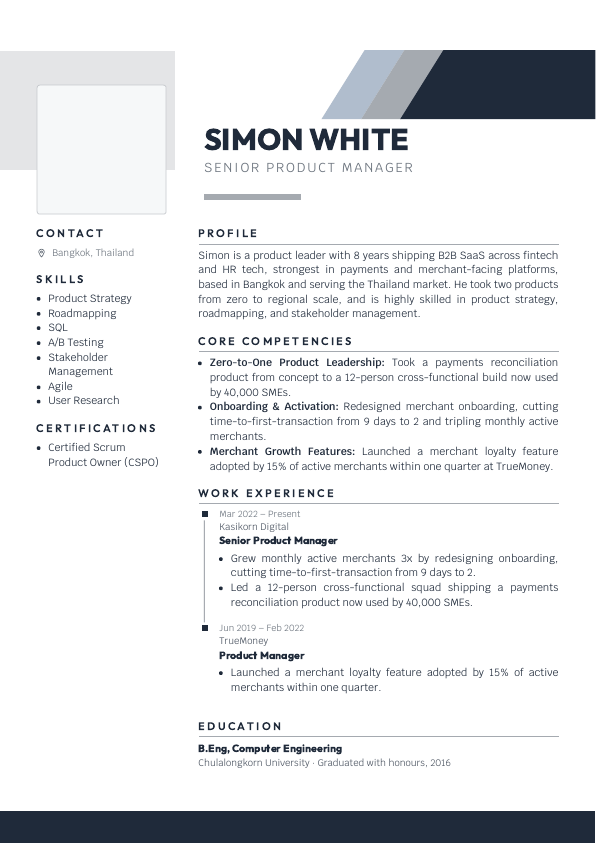
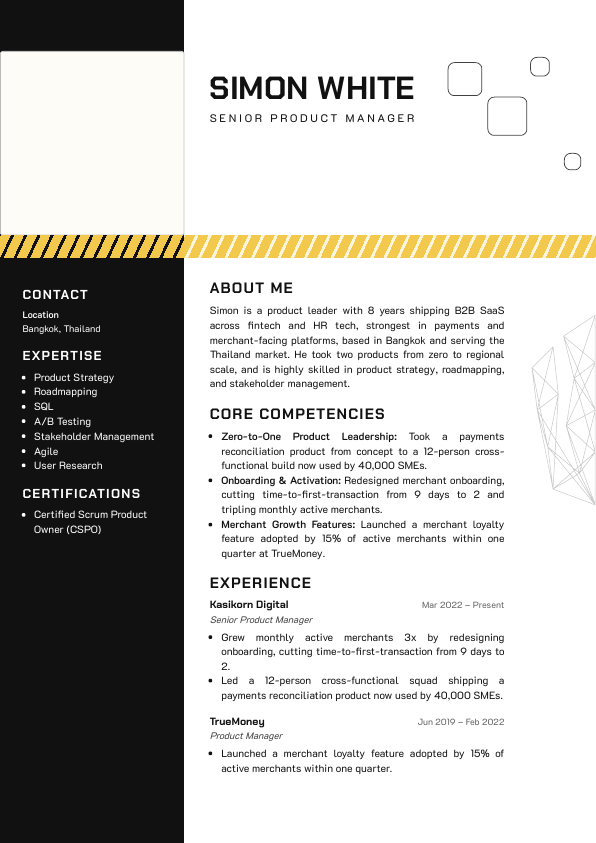
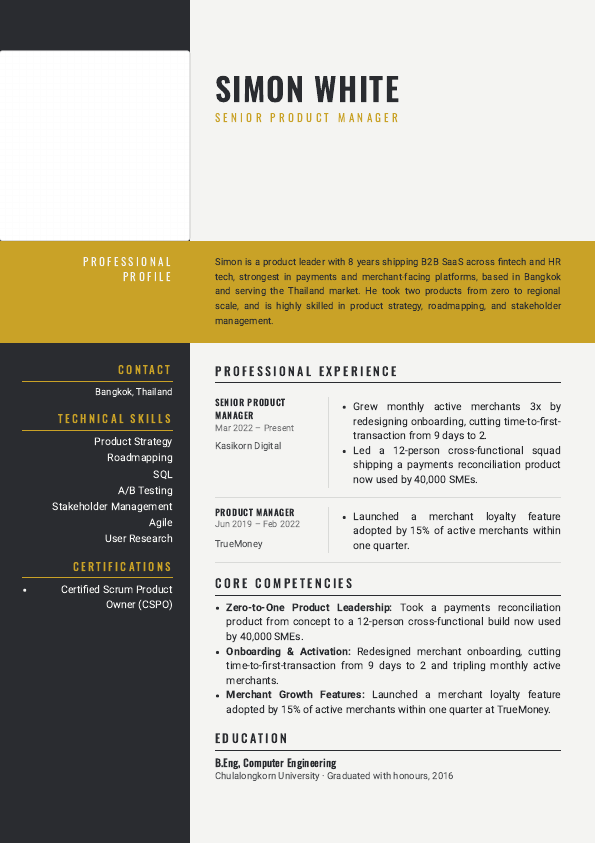
CV styles, with your logo on every page

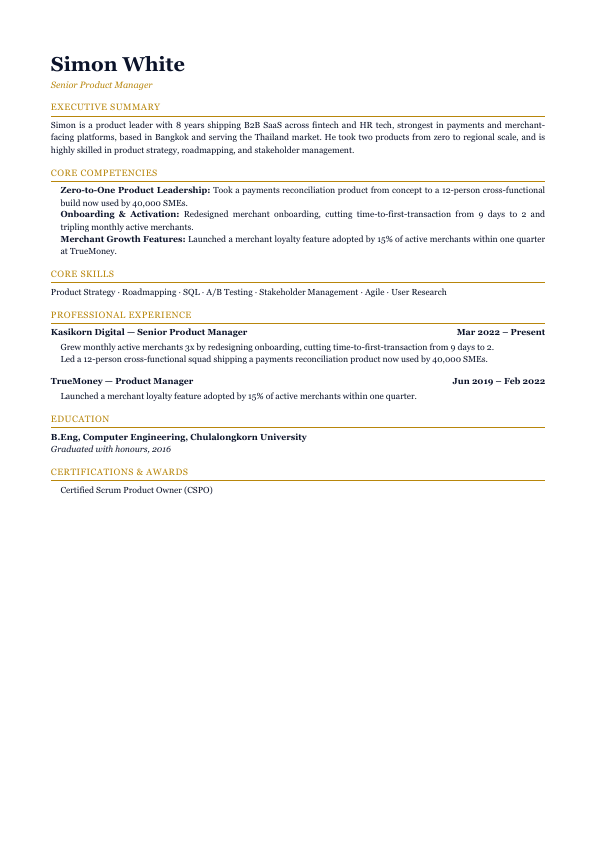
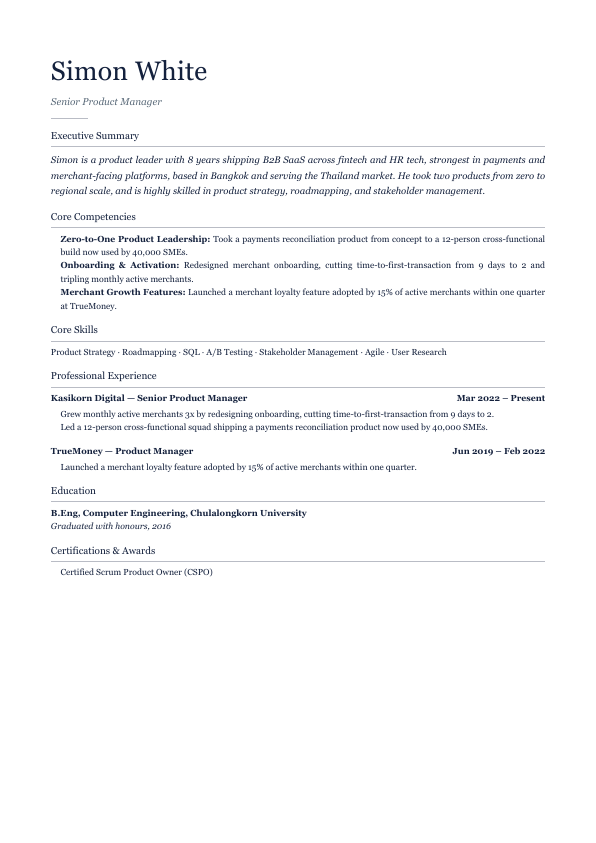
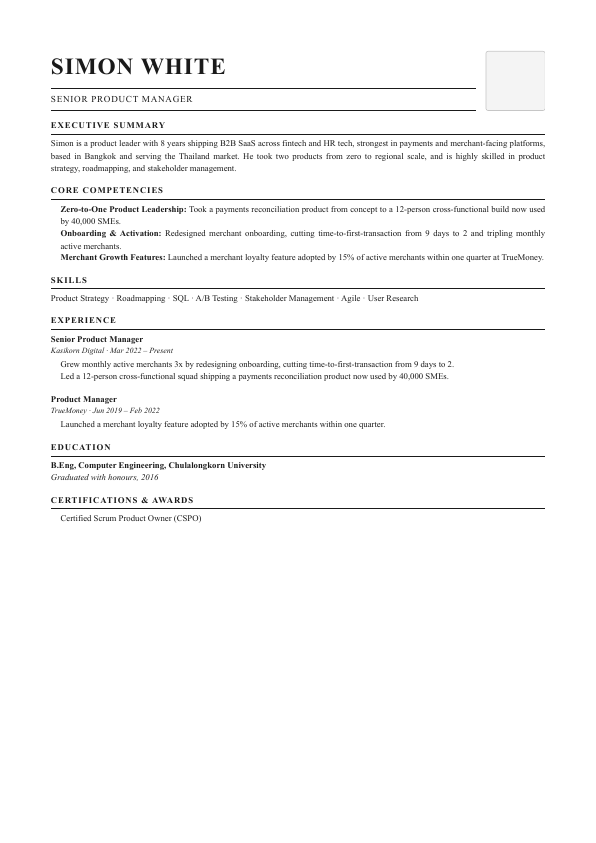
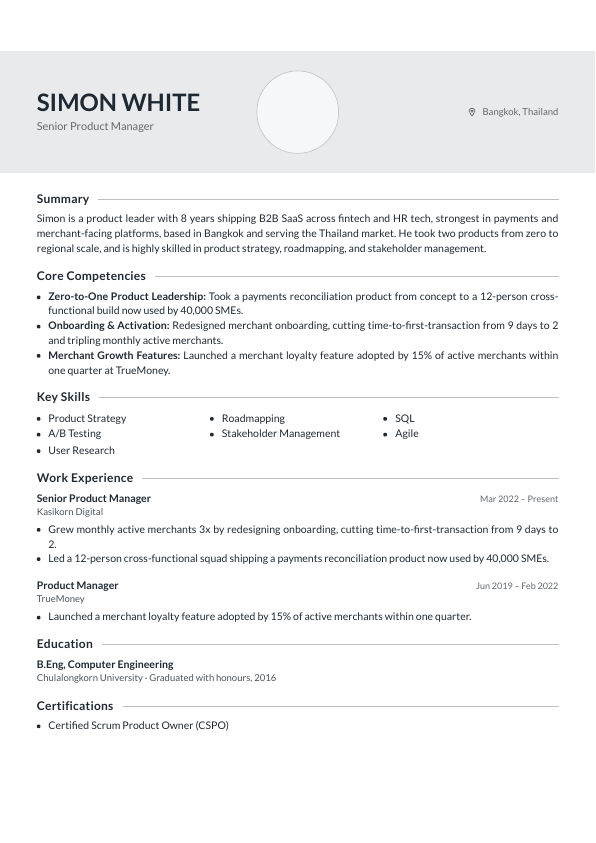
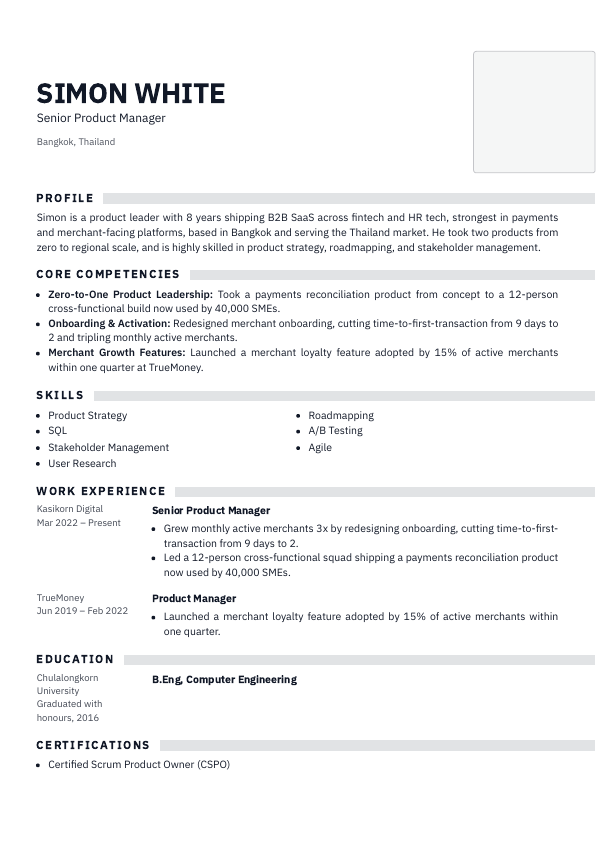
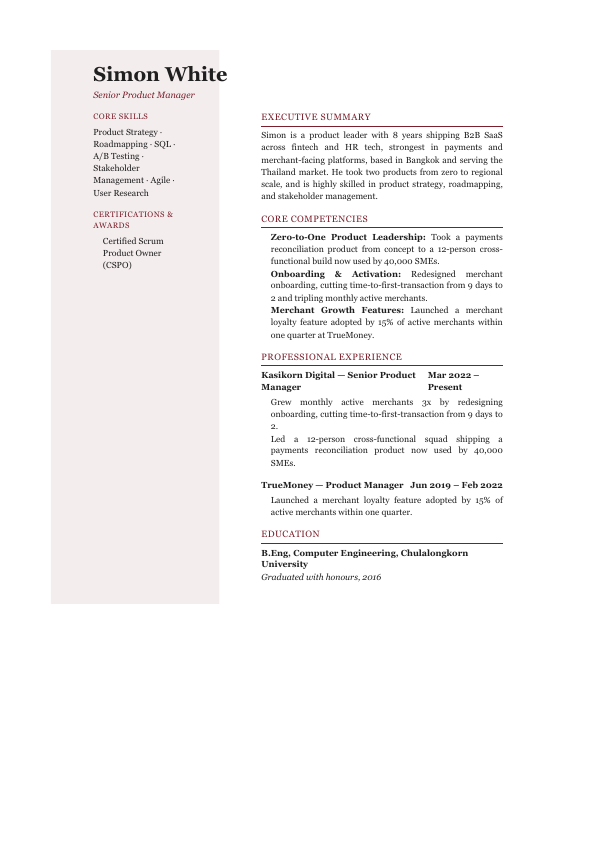
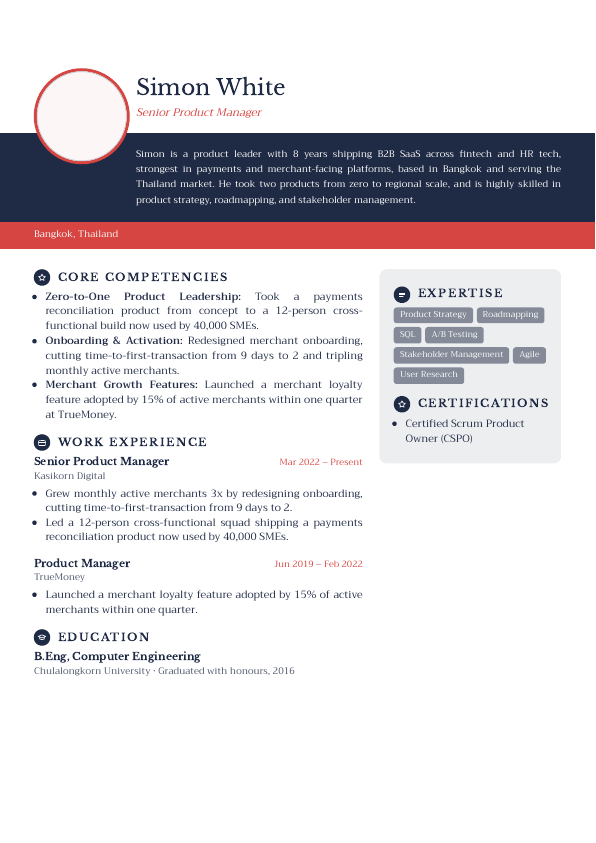
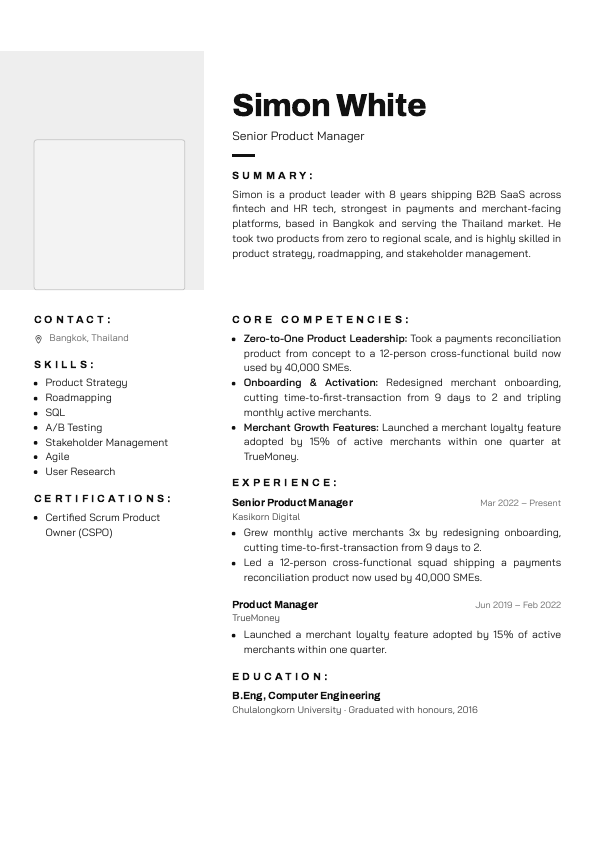
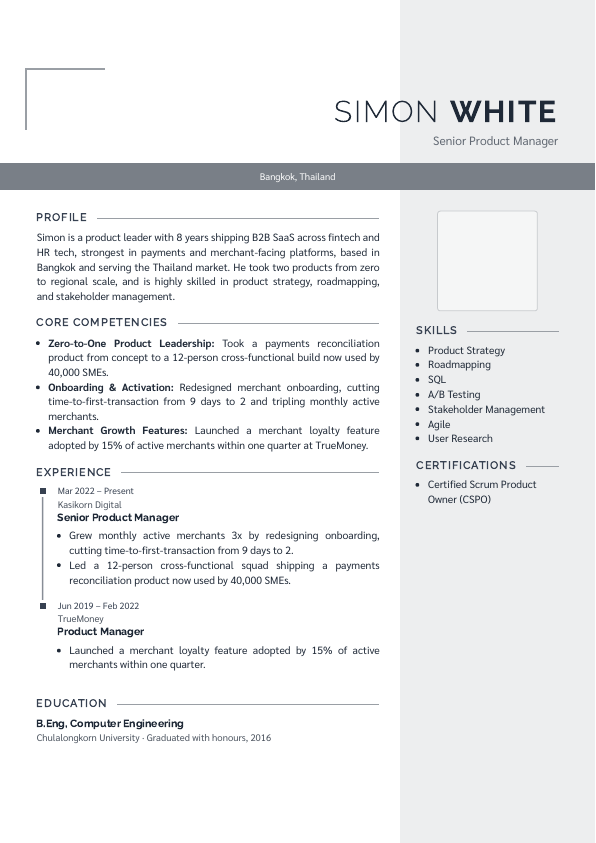
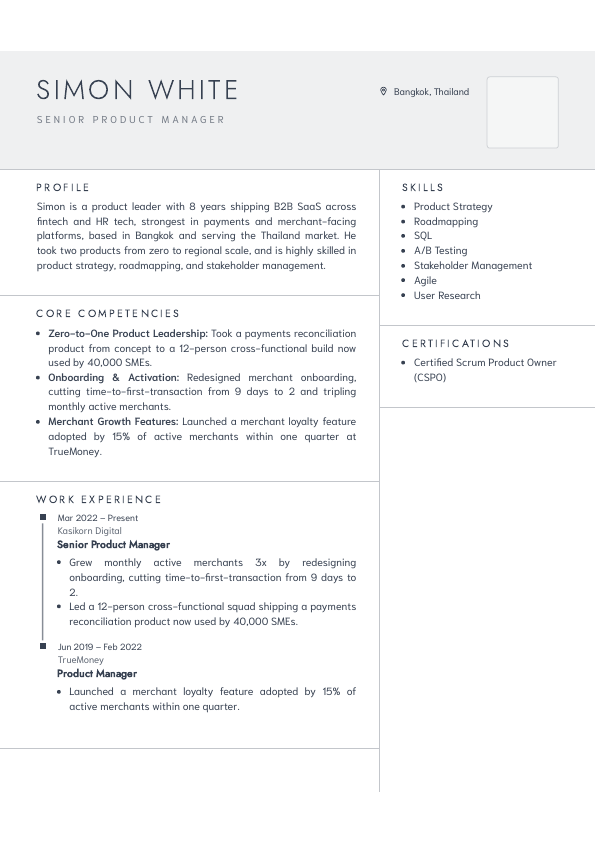
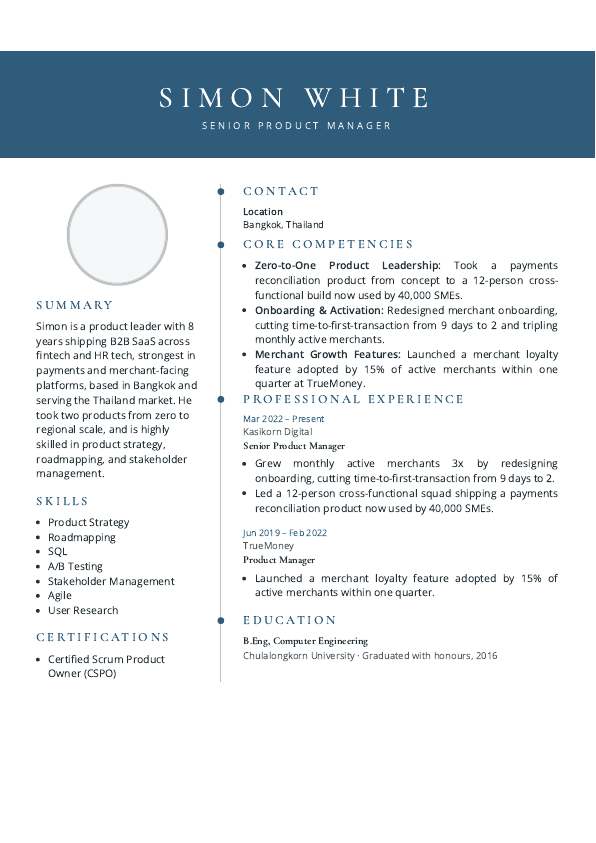
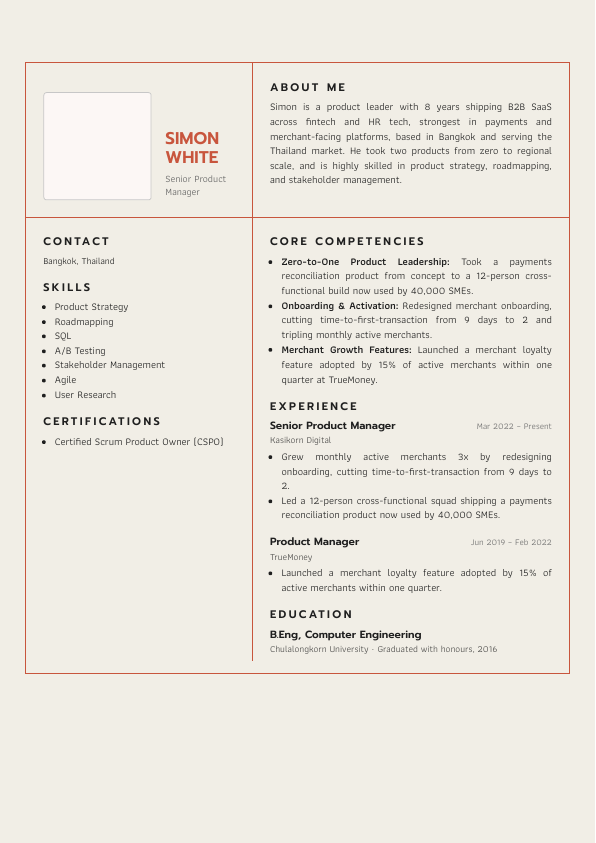
22 styles in 4 groups. Every CV can use all 22, free CVs too. In LINE, type "styles" to browse them in the chat.

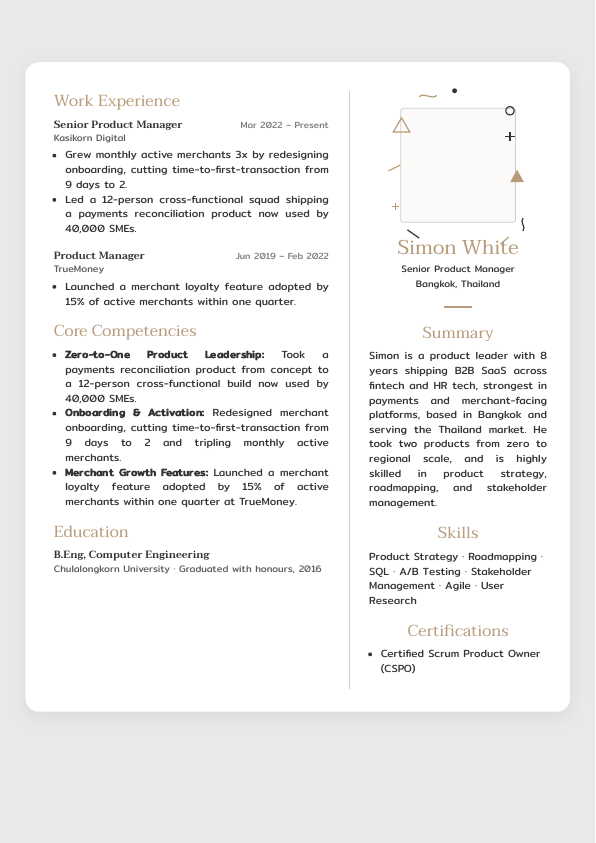
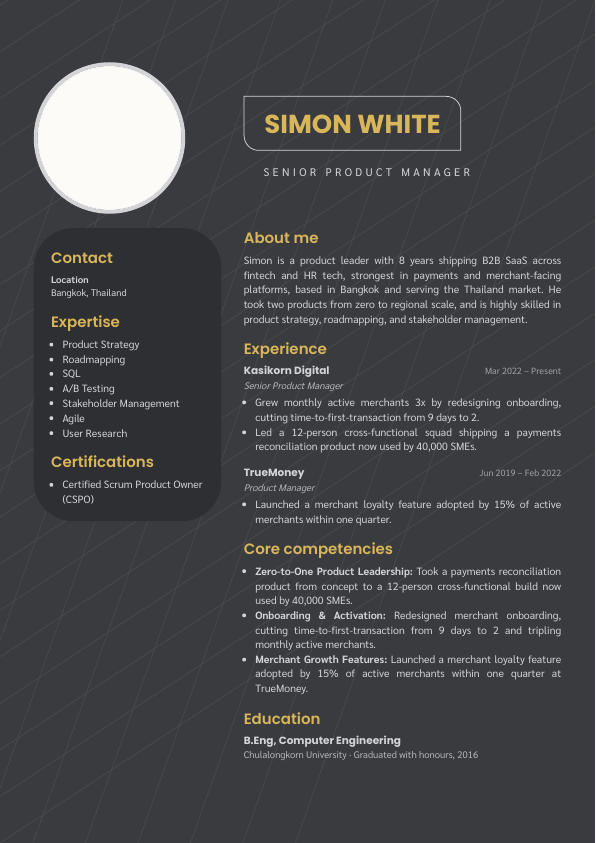
The samples show a made-up candidate. Tap one to open it full size.

Classic

Two-column

Sidebar

Creative

Pricing

Start Simple. Pay Only for What You Use. No Monthly Fees.

20 free CVs on sign-up

฿29per CV, everything included

CV

  • All 22 CV styles
  • Your logo, tagline and address on every CV
  • Blind CV: name, photo and contacts hidden
  • 3–4 key highlights and an executive summary
  • Client email draft introducing the candidate
  • Photo found and cropped automatically
  • Career path: tenure, gaps, industry, level
  • Duplicate warning, cancel and refund
  • Candidate Ranking & Pitching: each CV comes with 1 pitch

LINE

  • Send a CV in the chat (PDF, photo)
  • 10 CVs at once, approved as a batch
  • Search by role or company, now and before
  • Search by name or phone, contact on request
  • Deep search: product, company, school, keyword

Team and web

  • Web dashboard for the whole team
  • Clients and jobs (CRM-lite)
  • Email the PDF to yourself

Data

  • Own workspace, Data Processing Agreement, delete with every file on request, activity log

Candidate Ranking & Pitching

Pitch Instantly. Win More Placements.

Rank your shortlist in minutes and get tailored talking points for every client call, so you can act fast and turn more conversations into placements.

Each CV comes with 1 pitch. After that, a pitch is ฿12.

A pitch is charged when you start it, and refunded if it doesn't finish.

Charged once, when the AI reads the CV · Credit lasts 12 months · No subscriptionTalk to us (agencies that want to trial as a team): talentlab@HLSbridgeadvisory.com

Used credit is non-refundable. An unused top-up can be refunded on request within 7 days of payment. Terms

Paying and credit

  • Top up on the Billing page with PromptPay, a bank transfer or a card (card top-ups start at ฿1,000).
  • Everyone in the workspace uses the same credit, and it lasts 12 months.

Using TalentLAB in LINE

Type any of these in the TalentLAB chat.

  • Send a PDF or a photoStarts a CV: the bot reads it, you pick a style and approve the preview.
  • find marketing managerSearches your own candidates by name, job title, product or phone number.
  • contact SakuraShows that candidate's phone number and email.
  • pitch SakuraShows the latest pitch for that candidate.
  • stylesShows all 22 CV styles in the chat.
  • videosSends the links to the video tutorials.
  • brandingSets your logo, tagline and address on every CV (Owner only).
  • webSends your dashboard link.
  • balanceShows your credit balance, free CVs left and the top-up link.
  • new candidateThe next file starts a new candidate instead of joining the open one.
  • cancelStops the CV in progress. The candidate stays on the dashboard.
  • 📚 Bulk CVTap it under your first PDF to send up to 10 CVs and approve them together.
  • TH / ENSwitches the bot to Thai or English.
  • helpShows the commands in the chat.
  • talk to a personPasses your message to the TalentLAB team with a reference number.

For any other question about TalentLAB, ask the bot. It answers from this page.

Your team

  • No limit on members

    Invite as many recruiters as you need. There's no fee per person: you pay per CV, from the workspace's shared credit.

  • Inviting someone

    The Owner sends invites by email from the Team page, up to 20 a day. An invite lasts 7 days: the person signs in with that email and joins as a Recruiter.

  • Everyone uses their own LINE

    Each member links their own LINE account on the Account page ("Link with LINE"), then sends CVs and searches in the chat.

  • Who can do what

    The Owner manages the team, billing and branding. Recruiters work with candidates, clients and jobs.

  • Removing someone

    The Owner can remove a member on the Team page at any time. Their LINE link and sign-ins stop straight away.

Refer a friend

  • Your link

    Every workspace has a referral link: on your Billing page, or type "refer" in the LINE chat. Send it to a recruiter who is not on TalentLAB yet.

  • 5 free CVs each, after their first top-up

    When the recruiter you invited signs up through your link and makes their first top-up (from ฿300), you both get 5 free CVs. Signing up or using the free CVs earns nothing yet; the first top-up does. Rewards are valid like other free CVs.

  • Up to 10 invites

    You are rewarded for up to 10 recruiters you invite. Past that, the recruiters you invite still get theirs.

  • Some referrals are checked by hand

    A sign-up from the same device or office network as the inviter waits for our team to look at it, so one person cannot invite themselves. A real colleague on the same office connection is approved.

Common questions

I already have ChatGPT or AI tools from my company. Why would I need TalentLAB?

ChatGPT and other AI tools already do a good job of formatting CVs, summarizing a candidate's experience and writing an executive summary.

TalentLAB isn't trying to replace them. It's there to make a recruiter's work easier and more convenient.

Instead of opening several programs, uploading files, writing prompts, formatting and downloading documents yourself, you send the CV in LINE and the automation takes it through a workflow that's already set up. A client-ready CV comes back in LINE within a few minutes.

You can also keep and manage your candidates on the dashboard.

TalentLAB doesn't sell you another AI. It cuts the steps recruiters repeat every day.

How is TalentLAB different from using ChatGPT?

The main difference is the workflow, and how convenient it is to use.

ChatGPT is a very flexible AI tool, but you still handle each step yourself.

TalentLAB is designed specifically for a recruiter's workflow:

  • Send a CV in LINE
  • Process and format the CV automatically
  • Write an executive summary and key highlights
  • Make a Blind CV and add your agency's branding
  • Get the finished CV back in LINE
  • Keep and manage candidates on the dashboard

Everything is designed to fit the recruitment process more closely.

I already make CVs with ChatGPT. Do I need to switch to TalentLAB?

No, you don't have to change the tools you use.

If your current workflow is convenient and does what you need, keep using it as it is.

But if you prepare a lot of CVs and lose time uploading files, writing prompts, formatting and filing candidate details yourself, TalentLAB may cut those steps.

We'd like you to try it on real work, then compare which way suits your workflow best.

Who is TalentLAB for?

TalentLAB is built for people who work in recruitment, such as:

  • Recruitment consultants
  • Headhunters
  • Freelance recruiters
  • Recruitment agencies
  • Talent acquisition teams
  • HR professionals who prepare candidate profiles

Above all, it's for anyone who regularly prepares CVs and candidate profiles to send to clients.

Is there a monthly fee?

No. TalentLAB is pay-per-use: ฿29 per CV, everything included, subject to the terms of use.

You can try it first, then choose the services you need.

I'm not sure TalentLAB will really help. Can I try it first?

Yes. We want recruiters to try it on real work before they decide.

You can start in LINE and see how much TalentLAB cuts the steps of preparing a CV and how much easier your workflow gets.

We'd like to hear what real users think, so we can keep improving TalentLAB for people who work in recruitment.

Are the candidate profiles and CVs we upload to TalentLAB private?

Yes. TalentLAB is designed to keep each company's candidate profiles and CVs inside that company's own workspace. They are not shown to or shared with other recruitment agencies or companies.

Can other companies that use TalentLAB search or access our candidate database?

No. Each company has its own separate workspace and candidate database. Members of other companies can't access, search or view your candidates' information.

What happens to a CV we send through LINE?

When you send a CV to the LINE account connected to TalentLAB, the system receives the file through a webhook and processes it to create a candidate profile. The data is then stored in the workspace of the company that owns it, where authorized members can use it.

Can anyone else see our CV files or candidate profiles?

Access to candidate information is limited to your company's workspace. Members see it according to the permissions they have been given, and it is not disclosed to other companies.

Does TalentLAB use our candidate data or share it with other companies?

No. TalentLAB uses and processes data only for the customer's purposes and on the customer's instructions. We don't sell, trade or share candidate databases with other recruitment agencies or outside parties for commercial purposes.

How does TalentLAB keep each company's data separate?

TalentLAB keeps data separate by workspace. Each company's candidate profiles and CV files are kept apart, and users can access only the data in workspaces they have been given permission for.

Is my candidates' data safe?

Each agency has its own workspace. Candidates are never searched or shared across agencies, there is a Data Processing Agreement, and a candidate can be deleted with every file on request.

Candidate data is never used to train AI. The details are in our Data Processing Agreement, privacy notice and subprocessor list.

How long does a CV take?

About a minute for most CVs. A long file or an unclear photo can take a little longer.

Which files can I send?

A PDF, or a JPG or PNG photo of the CV, up to 20 MB each and up to 5 files for one candidate. Word files can't be read yet, so save them as PDF first.

Can I send several CVs at once?

Yes: up to 10 PDFs in one go, reviewed and approved together.

Can I get the CV as a Word file?

Not yet. Every finished CV is a PDF. To change something, say so before you approve, or edit it on the dashboard later.

Can I change a CV after approving it?

Yes. Open the candidate on the dashboard, edit, and download a fresh PDF.

Will the AI add things that aren't in the CV?

Every field the AI reads is checked and approved by a person before it appears on a CV. Nothing is added that is not in the original.

What is a Blind CV?

A Blind CV hides the candidate's name, photo and contact details, so your client can't reach the candidate directly. Every CV has it: in LINE, tap "🙈 Blind version" on the style you pick.

Can it translate a CV?

Not yet. TalentLAB reads Thai and English CVs, but it doesn't translate a whole CV.

How do I delete a candidate?

On the dashboard, at any time. It's permanent and removes their files too, so check the name first.

How do I pay, and can I get a refund?

Top up on the Billing page with PromptPay, a bank transfer or a card (card top-ups start at ฿1,000).

Used credit is non-refundable. An unused top-up can be refunded on request within 7 days of payment.

Is TalentLAB an ATS?

No, it works next to the ATS you already have. Download the approved PDF or email it to yourself, and add it to any ATS from there.

Am I chatting with a person or a bot?

A bot: TalentLAB's AI assistant. You check and approve every CV yourself, and the team takes over whenever you type "talk to a person".

Talk to a person

In LINE, type "talk to a person": the team gets your message with a reference number. You can also email us.

talentlab@HLSbridgeadvisory.com

Add TalentLAB on LINE